

Variables, Expressions, and Statements in Python
by Divya Kolmi
1/26/20265 min read
Values and Data Types
At the core of any program are values - the actual pieces of data a program works with. These could be numbers, text, or more complex forms. For example, 10, 3.5, and "Hello" are all values.
Every value in Python belongs to a data type, which tells Python how that value should be handled. For instance, whole numbers like 10 are integers (int), text enclosed in quotes like "Hello" is a string (str), and numbers with decimal points like 3.5 are floating-point numbers (float).
You can always ask Python what type a value is using the type() function.


Even if something looks like a number, if it’s inside quotation marks, Python treats it as text.Write your text here...


One common beginner mistake is writing large numbers with commas. Python doesn’t interpret commas the way humans do.


Instead of printing one million, Python reads this as multiple numbers separated by commas. This is an example of a semantic error - the program runs, but the output isn’t what you intended.
Variables: Naming and Storing Values
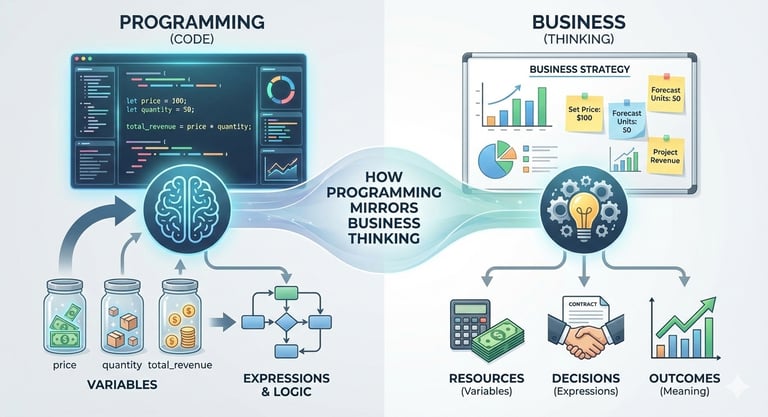
A variable is simply a name that points to a value stored in memory. Variables are created using assignment.


Here, Python remembers each value and associates it with a name. You can display a variable’s value using print().


A variable’s type depends on the value it refers to - not on the variable name itself.
Rules for Naming Variables
Good variable names make your code easier to understand. Python allows variable names to contain letters, numbers, and underscores, but they cannot start with a number.
Valid examples:


Invalid examples:


The word class fails because it’s a reserved keyword - a word Python uses internally. Python has a fixed list of such keywords (like if, for, return, def) that cannot be used as variable names.
Statements and Execution Flow
A statement is a complete instruction that Python can execute. Examples include assignment statements and function calls like print().


When Python runs a script, it executes each statement top to bottom, one line at a time. Assignment statements don’t produce visible output unless you explicitly print the value.
Operators and Operands
Operators perform actions such as addition or multiplication. The values they act on are called operands.
Common operators include:
+ addition
- subtraction
* multiplication
/ division
** exponentiation


In Python 3, division using / always returns a decimal result, even when dividing two integers.


Expressions
An expression is any combination of values, variables, and operators that Python can evaluate.


In interactive mode, Python immediately shows the result. In a script, expressions by themselves do nothing unless their result is used or printed - something that often confuses beginners.
Order of Operations
Python follows standard mathematical precedence rules, often remembered as "PEMDAS":
Parentheses
Exponents
Multiplication and Division
Addition and Subtraction
When in doubt, use parentheses to make your intent clear.


This improves both correctness and readability.
Modulus Operator (%)
The modulus operator returns the remainder after division.


This operator is useful for checking divisibility or extracting digits from numbers - for example, x % 10 gives the last digit of a number.
Working with Strings
Strings support some operators too - but with different meanings.
+ joins strings together (concatenation)
* repeats a string multiple times


Getting Input from Users
Python allows programs to accept input through the keyboard using input().


Input is always returned as a string. If you need a number, you must convert it explicitly.


If the input can’t be converted, Python raises a runtime error - something you’ll learn to handle later.
Comments: Explaining the “Why”
Comments are notes written for humans, not Python. They start with # and are ignored during execution.


Good comments explain why something is done - not what the code obviously shows.
Choosing Meaningful Variable Names
Compare these two examples:


vs.


Both programs do the same thing, but the second is far easier for humans to understand. These are called mnemonic variable names, names chosen to reflect their purpose.
That said, beginners sometimes confuse descriptive variable names with Python keywords. Over time, as you recognize reserved words more easily, this confusion fades.
Common Errors and Debugging
Some of the most frequent beginner mistakes include:
Using reserved keywords as variable names
Misspelling variable names
Using a variable before assigning it a value
Misunderstanding operator precedence
Debugging is part detective work and part experimentation. Each error is a clue that helps you understand how Python actually thinks.
Contact
Questions? Reach out anytime.
© 2025 BizSphere. All rights reserved.